
Image Prompts
Premium Brand Ecommerce Detail Images Prompt
Analyze an uploaded product photo and generate a cohesive set of six premium 1:1 ecommerce detail images for a high-end product listing.
Image PromptsMarketing
Prompt
I will upload a product photo. Treat the uploaded photo as the main product for a premium ecommerce listing. First, analyze the product photo and automatically determine: 1. what the product is, 2. the brand tone that suits the product, 3. the primary target consumer group, 4. the questions consumers care about before purchasing, 5. the most worth-amplifying selling points, and 6. the lifestyle scenarios that best help consumers imagine using it. Then generate a complete set of Premium Brand Ecommerce Detail Images. Create 6 independent square images, each in 1:1 ratio, 1000x1000 pixels. Each image must be readable on its own because the user will manually stack them vertically into a product detail strip page afterward. Overall style: premium brand feel, clean, refined, generous white space, official brand website aesthetic, high-end ecommerce detail page quality. Avoid cheap promotional style, night market ad feel, excessive flashiness, and information overload. The product must be the hero of every image. Backgrounds may be elevated and contextual, but must never overpower the product. Automatically match the color palette to the product and keep a consistent brand tone across all 6 images. All text in the images must be English only. Do not use Chinese, Japanese, Korean, or any non-Latin characters. No garbled text, no typos, and no fake text. Text should be minimal, precise, clear, and suitable for mobile reading. Product requirements: do not arbitrarily alter the product appearance. You may remove the background, retouch lighting and shadow, enhance quality, place the product in an elevated lifestyle context, and zoom in on details. Do not change the product shape, structure, color, or key characteristics. Generate the 6 images in this order. Image 1: Brand Hero Visual. Make consumers feel the product is high-quality and worth buying at first glance. Use a large centered or slightly off-center product on a clean premium background. Add one brand-feel headline and one short supporting tagline. Make it feel like the first screen of a brand website, not busy or loud. Image 2: Pain Point Image. Make consumers feel this is exactly the problem they have. Show the inconvenience, messiness, anxiety, discomfort, lack of convenience, or lack of aesthetics before using the product, based on the product. Add one large headline and 2 to 3 short pain points. Keep it relatable, not exaggerated or fear-inducing. Image 3: Product Value Image. Explain what change this product brings. Use before-and-after contrast, lifestyle improvement, space upgrade, or enhanced user experience. Add one core value statement and 2 to 3 short supporting points. Image 4: Feature Highlights Image. Quickly summarize product advantages using 3 to 5 premium clean blocks, icons, tags, or card layouts. Each highlight should use only a short title and one brief description. Image 5: Detail and Quality Image. Build trust and craftsmanship. Show details, materials, structure, dimensions, finishing, texture, or design ingenuity. Use close-up zoom frames, detail callout lines, or material labels. Keep annotations brief. Image 6: Recommendation Summary Image. Close the sale and increase purchase intent. Make the product the hero again with a clean premium summary layout. Summarize 3 to 4 reasons to recommend it, such as personal use, gifting, daily upgrade, quality lifestyle, peace-of-mind choice, or efficiency boost, automatically chosen based on the product. Layout requirements: each of the 6 images must use a different layout, but all 6 must share the same color palette, typography style, and white space ratio. When stacked vertically, they should look like one cohesive premium brand ecommerce detail page. Headlines must be prominent and clear. Subheadings must be brief. Key points must be readable within 1 second while scrolling on mobile. Do not overload any image with text. Do not use excessive decorative elements. The overall result should look like it was designed by a professional brand designer.
CanvaDALL-EMidjourneyPhotoshopStable Diffusion
Sample Output
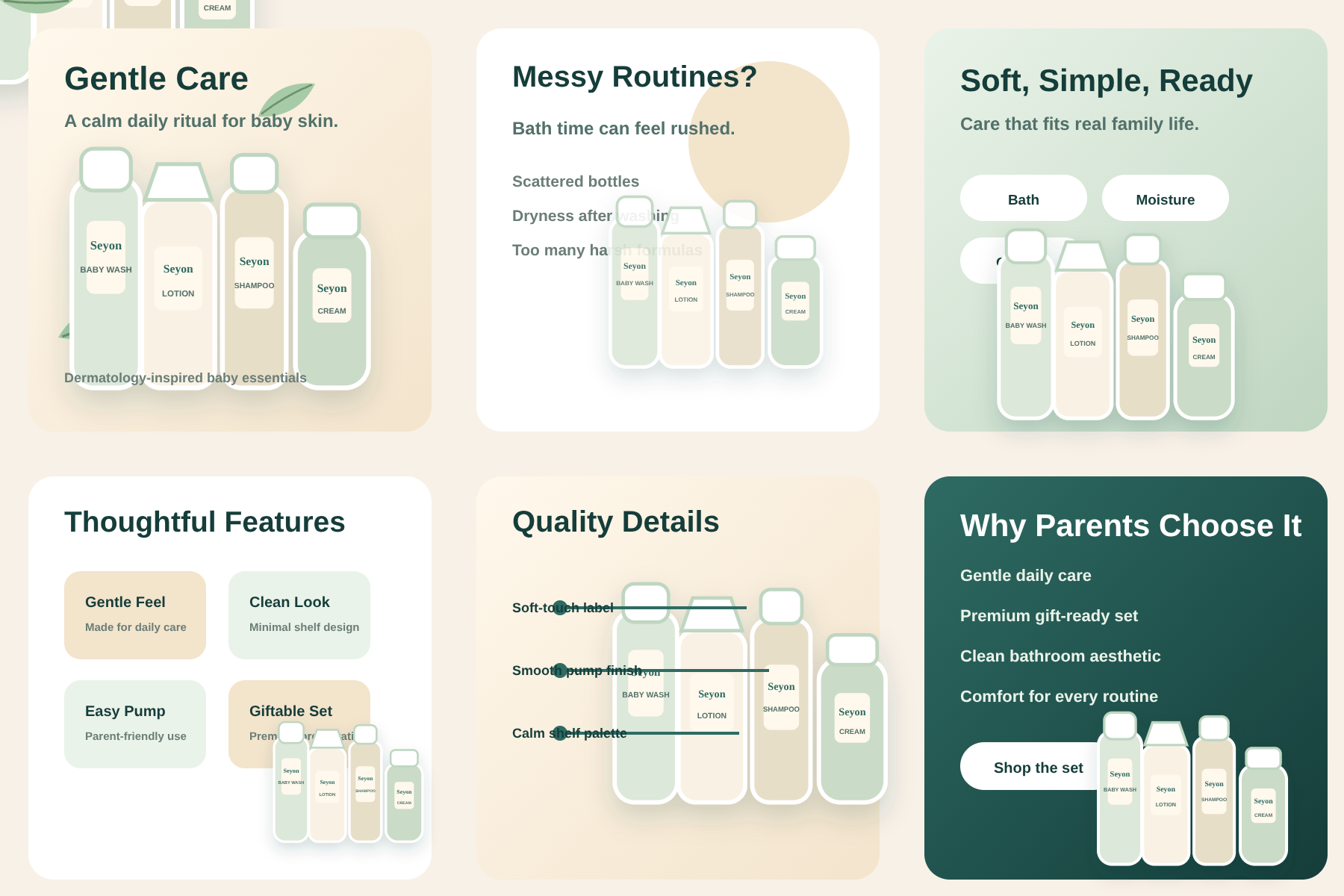
seyon-baby-care-premium-detail-images.svg
#ecommerce detail images#product listing#premium product images#shopify images#brand detail page#product photo prompt
Actions
Open with